Capture and Review Video Assessment Evidence
Video evidence assessment is more than accepting a recording. Teams need to specify what the learner should show, review the evidence against suitable criteria, provide useful feedback and keep a record of the decision. Remote Reviewer organises those steps in one review workflow.
Keep the evidence connected to the assessment
A video file on its own may show activity but leave important questions unanswered: What task was set? What criteria did the assessor apply? Which part of the recording supports an observation? What feedback or outcome followed? When these details are stored separately, it takes more effort to understand the basis of a decision.
Remote Reviewer links a learner’s video submission with a structured checklist or rubric, timestamped reviewer comments, feedback and the recorded outcome. This gives assessors and teams a more coherent record to use for learner follow-up and internal review.
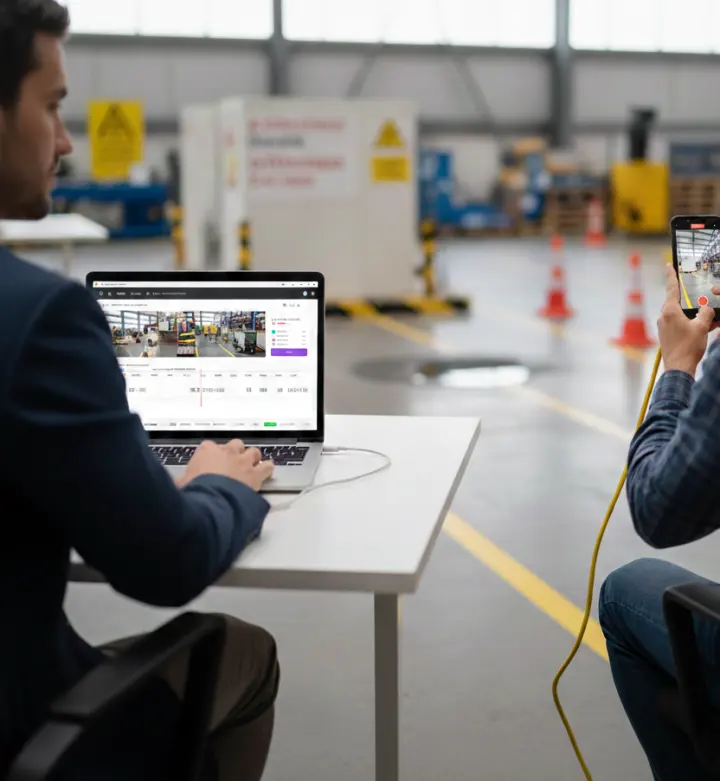
Tell learners what evidence to provide
A good evidence request describes the task, expected conditions and actions that should be visible. Templates let an organisation prepare instructions and criteria in advance. Learners can then record a task or upload a video, following the available workflow and the organisation’s requirements.
Teams should give practical guidance on framing, sound, safety and any supporting context the assessor needs. They should also consider how authenticity will be established and whether a recording is appropriate for the task.
Apply criteria and document observations
The assessor reviews a submission against defined criteria and records what the evidence shows. Timestamped comments can connect observations to relevant moments in the recording; the reviewer can then provide feedback and document a decision. This structure helps the learner understand the result and makes the assessor’s reasoning easier to revisit.
Remote Reviewer supports the evidence workflow but does not decide competency automatically. The assessor interprets the evidence and the organisation remains responsible for its assessment and quality processes.
Retain structured assessment information
The review record keeps the submission, criteria, comments and decision together. If configured, assessment events can also be represented as xAPI statements and passed to a Learning Record Store. In plain English, xAPI is a common structure for recording events such as a learner completing an assessed task; an LRS stores those records for later reporting or analysis.
See the video assessment software overview for the wider workflow, or read about structured and defensible evidence.
Collect evidence from an LMS course
With LTI 1.3, a teacher can add a Remote Reviewer activity to a supported LMS course and choose an assessment template. Learners can record or upload from the course activity, and pass/fail outcomes can return to the gradebook where configured. Learn more about Moodle and LTI 1.3 integration.
Frequently asked questions
What is video evidence assessment?
It is the process of collecting video of a learner’s performance and judging it against defined requirements, then documenting observations, feedback and the decision.
How should video assessment evidence be documented?
Keep the task instructions, evidence submission, criteria, reviewer observations, feedback and outcome connected. The organisation should also apply its own evidence and recordkeeping policies.
Can evidence be stored in an LRS?
Remote Reviewer can send xAPI assessment records to a Learning Record Store where the integration is configured. An LRS stores structured activity records for later querying and reporting.
Explore related topics: