Assess Practical Skills with Video Evidence
Practical skills assessment asks a learner to demonstrate what they can do, not only describe what they know. Remote Reviewer helps trainers and assessors review observable performance from video against the task criteria, then document feedback and the decision.
Assess what a learner can demonstrate
Practical and competency-based assessment often involves actions that happen at a workplace, workshop, simulation or service environment. Examples include preparing a drink, conducting a safety check, delivering a presentation or completing a care procedure. A recording can make parts of that performance available for review when an assessor cannot observe the task in person.
The assessment still depends on clear task design and appropriate evidence. Some performance may need additional context, questioning or direct observation. Teams should decide what method is suitable for each unit, task and learner.
Make criteria visible to learners and assessors
Before a task begins, learners should know what they need to demonstrate and how their evidence will be judged. A structured template can hold task instructions, evidence requirements and a checklist or rubric. Assessors apply those criteria to the submission and record their observations, rather than relying on an unstructured video file alone.
Timestamped comments can direct a learner to a specific point in the recording. This makes feedback more actionable and helps explain what the assessor observed at that moment. The assessor remains responsible for interpreting evidence and deciding whether the requirements have been met.
Tasks that can be captured on video
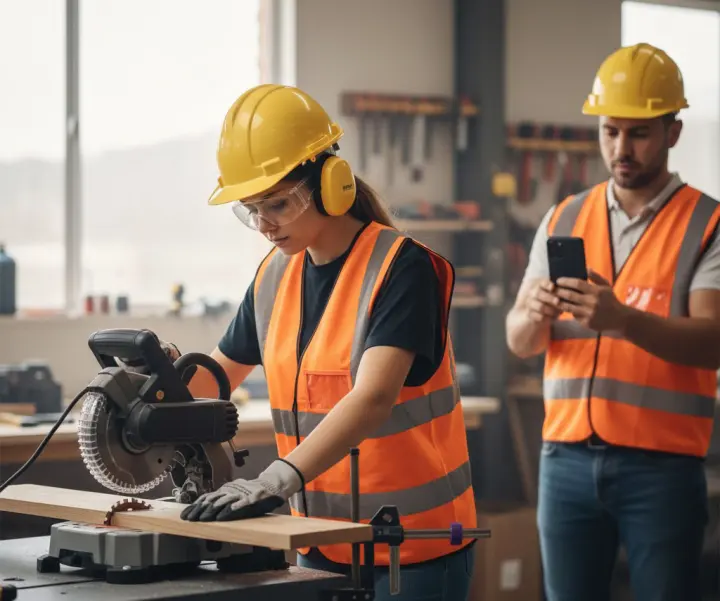
Video can be useful for tasks where the important actions are visible or audible and the recording can be made safely. It can support workplace skills observation, simulated procedures, demonstrations, presentations and communication practice. View examples in the Remote Reviewer use-case library, including barista skills observation and construction skills assessment.
A video may not capture every relevant factor. Assessors should consider whether the recording shows the full task, whether identity and authenticity can be established, and whether supplementary evidence is required.
Capture, assess and give useful feedback
Remote Reviewer supports a practical sequence: select an assessment template, give the learner task instructions, collect video by recording or upload, review the submission against criteria, add timestamped observations and feedback, then record the outcome. The evidence and decision remain associated in the review record.
Where an organisation uses an LMS, LTI 1.3 can bring the activity into a course. Learn about Moodle and LTI 1.3 video assessment, or return to the video assessment overview.
Frequently asked questions
What is practical skills assessment?
It is an assessment of a learner’s ability to perform tasks or demonstrate observable skills against defined requirements. Video can be one evidence method when it is suitable for the task.
Can video prove competency on its own?
Not in every case. The assessor must judge whether the evidence is valid, sufficient, authentic and current for the requirements, and may need other evidence or assessment methods.
What does timestamped feedback do?
A reviewer can attach an observation to a moment in a recording, helping the learner understand which part of their performance the feedback refers to.